Google TV Streamer 4K review & Downloader Guide
Welcome to our comprehensive hardware guide. If you are searching for an honest Google TV Streamer 4K review, you have found the definitive source. The ultimate 2026 upgrade replacing the classic Chromecast features a 22% faster processor and massive 32GB storage. By utilizing the google tv streamer 4k downloader setup method, you can effortlessly sideload third-party apps and optimize this device for flawless 4K media playback.
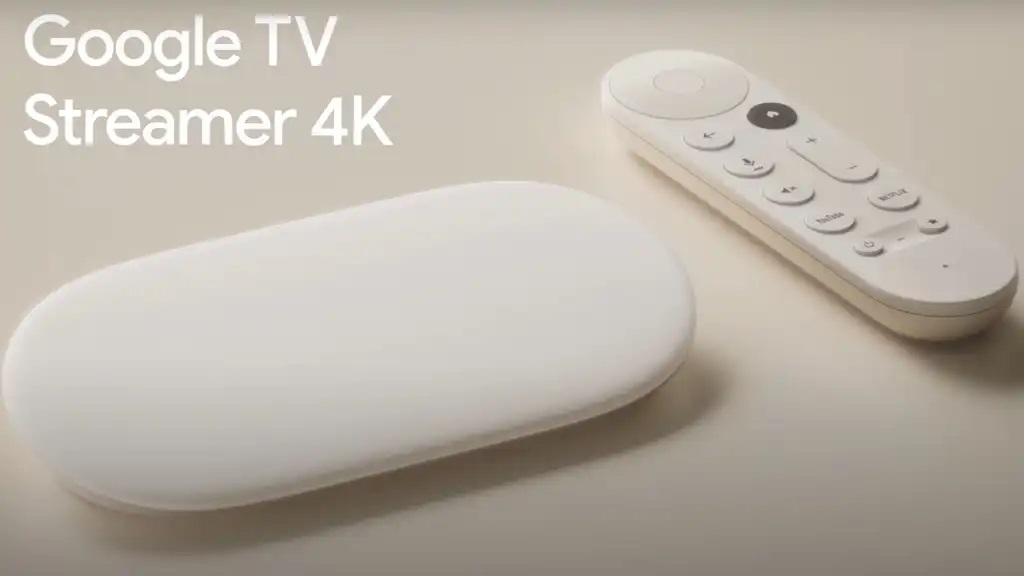
google tv streamer 4k downloader Specifications
22% Faster CPU
A major step up from older dongles. The upgraded processor eliminates UI lag and loads heavy third-party media players instantly.
32GB Storage & 4GB RAM
No more “storage full” errors. Install the Downloader app and dozens of external APKs without ever worrying about clearing cache constantly.
Built-in Ethernet
The new set-top box design features a direct ethernet port, guaranteeing a stable, buffer-free connection for live 4K broadcasts.
Smart Home Hub
Includes built-in Thread and Matter support, turning your TV into the ultimate command center for all your smart home devices.
Why the google tv streamer 4k downloader Setup Excels
If you have been struggling with the limited 8GB storage of older casting dongles, reading any extensive Google TV Streamer 4K review will show why this is the ultimate upgrade. Released as the official replacement for the classic Chromecast line, this sleek set-top box completely redefines the Android TV experience for cord-cutters.
Mastering the Sideloading Ecosystem
The true power of this new device lies in its upgraded internals. With 32GB of storage and 4GB of RAM, this device is practically begging power users to utilize the google tv streamer 4k downloader method. You can now sideload massive media players from our Media Players directory, custom IPTV interfaces, and gaming emulators without the device breaking a sweat.
Because it runs on a pure, updated Google TV OS, preparing the device for third-party apps is incredibly straightforward:
- Unlock Developer Limits: By navigating to your system settings and clicking the Android TV OS build 7 times, you can instantly allow installations from Unknown Sources.
- Utilize the Ethernet Port: Skip the Wi-Fi. Plug directly into the built-in Ethernet port to ensure zero packet loss while streaming high-bitrate 4K content.
- Never Delete Apps Again: The 32GB storage means you can keep all your official streaming subscriptions alongside your sideloaded APKs simultaneously.
Ultimately, by utilizing the Downloader tool on this upgraded hardware, you transform an already excellent device into an unstoppable, ad-free home theater system.
Upgrade Your Setup with Firestick AI
Stop searching forums for the best apps. Our smart AI assistant knows exactly which media players, utility tools, and VPNs work best on the new Google TV Streamer 4K architecture. Get instant recommendations, troubleshooting help, and safe shortcodes in seconds.
💬 Chat with Firestick AI
Ready to Setup Your Google TV Streamer?
Do you already own this premium box? We’ve prepared a comprehensive, step-by-step visual guide and a YouTube video tutorial showing you exactly how to install the Downloader app and enable developer options on the newest Google TV interface.
▶ Watch Video & Install Downloader